Zedlin

Windows and Linux

Your whole fleet, on a big screen.

The desktop app has the same workspaces as your phone, with room to work: tabs, split view, a code editor, and a local service that lets your own tools use your vault. You add a computer by scanning its QR code with your iPhone.

Work side by side

Every server, every tool, a tab away.

Keep terminals, files and server pages open in tabs, and put any two side by side.

  • Tabs for terminals, files, servers and tools
  • Split view: a terminal next to its logs
  • Forms open as windows and don't block the rest
  • A queue for transfers and long file jobs
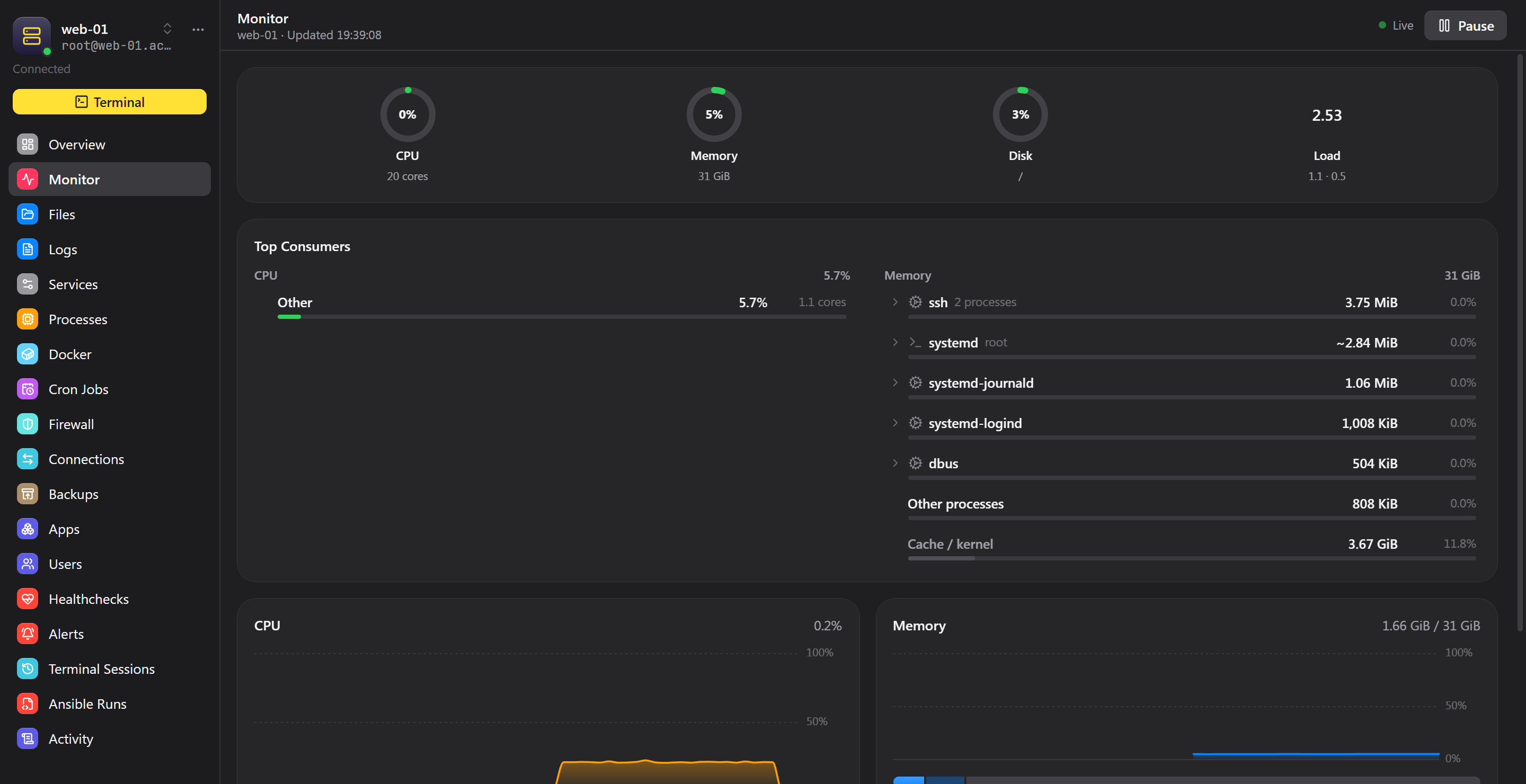
Zedlin desktop app showing a server's CPU, memory and disk with its top consumers

In the app

Made for long sessions.

Terminal

A full terminal with as many sessions as you need, in tabs and side by side.

Code editor

Edit remote files in place, with syntax highlighting.

Remote Desktop

A Windows desktop in a Zedlin tab, with clipboard and live resize.

Split view

Any two tabs side by side.

Tag view

See your servers and vault together, grouped by tag, and save your views.

Notifications

Alerts from your team servers with the actions they need.

Zedlin Link

Your tools can use your secrets, not hold them.

Zedlin Link is a local service inside the desktop app. Your own tools ask it for what they need, so config files carry a reference instead of a password. Nothing leaves Zedlin until you approve it, and every access goes into a history you can read.

Command line

The zedlin command reads secrets, runs programs with them and runs commands on your servers.

# Read one field
zedlin read zedlin://Acme/api-prod/password

# Run a program with secrets from an env file
zedlin run --env-file .env -- ./deploy.sh

# Run a command on a server through Zedlin
zedlin exec zedlin://Acme/api-prod -- uptime

SSH agent

Point ssh and git at Zedlin's agent and your keys stay in your vault. Each signature asks for your approval, and it shows which program is asking.

Chrome extension

Fills sign-in forms and one-time codes, saves new logins and changes passwords from the browser, using the Zedlin app on the same computer.

AI assistants

zedlin mcp lets an MCP client such as Claude read and edit your Ansible playbooks and apps on a team server. It can't run anything, delete anything or read secrets, and every change asks you first.

Want to try Zedlin early?

The desktop app needs an iPhone as your approval device. Write to us and tell us how you'd use it.